Space Game Physics Explained
On this page
Some space games feel slippery and others feel snappy, and the difference comes down to how each one models motion. This article explains four ideas that matter most: inertia, velocity, thrust and drag. For each one we describe the real-world concept in general terms, then show how arcade games bend it. Our games use simplified, arcade-friendly physics; they are built for play, not as a model of real spaceflight.
Position, velocity and acceleration
Almost every moving object in a game is described by three quantities:
- Position: where the object is.
- Velocity: how fast and in which direction it is moving. It has both a size (speed) and a direction.
- Acceleration: how quickly the velocity is changing.
Each frame, a typical arcade game updates them in a chain: acceleration changes velocity, and velocity changes position. Written in the simple style many games use:
vx = vx + ax * dtandvy = vy + ay * dt(acceleration changes velocity)x = x + vx * dtandy = y + vy * dt(velocity changes position)
Here dt is the time since the previous frame. This small loop, repeated many times per second, is enough to produce drifting ships, arcing probes and falling landers. The interesting part is what each game feeds into the acceleration.
Inertia: why ships keep drifting
Real-world concept: inertia is the tendency of an object to keep doing what it is already doing. An object at rest stays at rest, and a moving object keeps moving at the same speed in the same direction, unless a force acts on it. This is Newton's first law of motion. On Earth we rarely notice it because friction and air resistance slow things down, but in the near-vacuum of space there is very little to stop a moving spacecraft, so it keeps coasting.
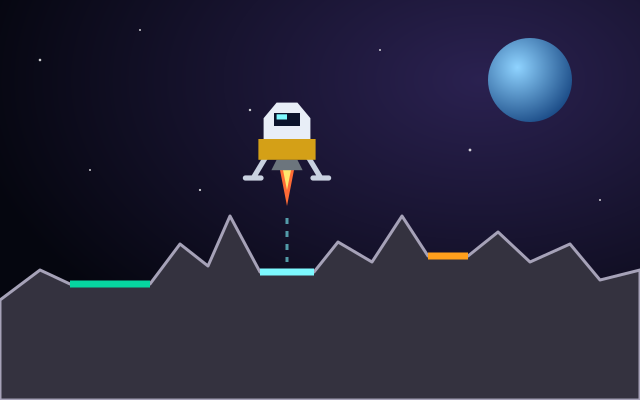
In games: a game that honors inertia keeps your ship moving after you stop pushing. That is the source of the floaty feel in thrust-and-rotate games. In Rocket Landing, any sideways speed you build up stays with you until you rotate and thrust against it, which is why the HUD tracks horizontal speed as well as vertical speed and tells you OK or TOO FAST.
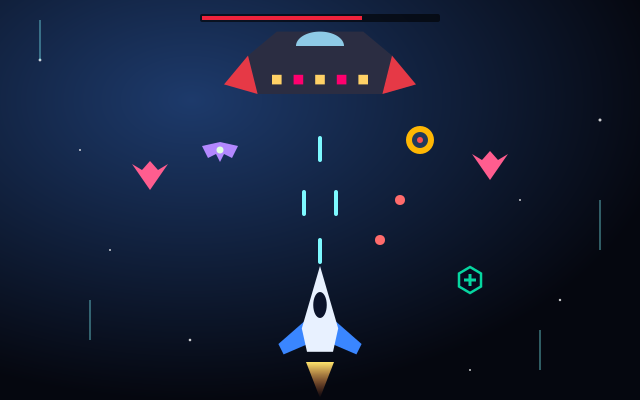
Many arcade games choose not to show inertia at all. In direct-movement games such as Space Shooter, your ship responds straight away to Arrows/WASD or the joystick, so dodging depends on reading the screen rather than predicting drift.
Thrust: pushing in the direction you face
Real-world concept: a rocket engine produces thrust by pushing exhaust out one way, which pushes the rocket the opposite way. Thrust is a force, and a force changes velocity; it does not set velocity directly. A bigger force, or a lighter craft, means a quicker change. Turning a spacecraft does not by itself change which way it is moving; only a force can do that.
In games: thrust-based games turn the ship's facing angle into an acceleration. A common arcade version looks like this:
ax = cos(angle) * thrustPower and ay = sin(angle) * thrustPower
When the engine is off, thrust acceleration is zero and the ship carries on with whatever velocity it had. Practical consequences for players:
- To stop, you must point the engine against your motion and thrust, not just let go.
- Rotating while coasting changes only where your nose points, not your path.
- Small, frequent bursts are easier to manage than long burns, because every burst adds up.
Tip: In Rocket Landing, check the horizontal speed readout before you worry about the vertical one. Cancelling sideways drift early leaves your final approach as a simple, straight-down descent.
Drag versus vacuum
Real-world concept: drag is the resistance a moving object feels from the air or fluid it passes through. It is why a thrown ball slows down and why aircraft need engines running to stay at speed. In the vacuum of space there is essentially no air, so there is essentially no air drag. A spacecraft that shuts off its engine keeps its velocity, apart from the effects of gravity.
In games: designers often add artificial drag anyway, because pure vacuum physics can be hard to control and tiring to play. A common trick multiplies velocity by a number slightly below one every frame:
vx = vx * 0.98
The ship gradually slows to a stop when you let go, which feels intuitive even though it is not what happens in space. Many games also cap top speed so that you cannot build up more velocity than the screen can handle. These choices are about control and readability, not realism, and that is fine for an arcade game.
How arcade games simplify real physics
The table below compares the real-world idea with what arcade games commonly do. The right-hand column describes common arcade practice in general, not a precise description of every game.
| Concept | Real world (general) | Typical arcade simplification |
|---|---|---|
| Inertia | Moving objects keep moving unless a force acts | Often removed for instant, precise steering |
| Air drag | Essentially absent in space | Often added so ships settle and stop |
| Speed | No practical limit from coasting alone | Capped to keep action readable |
| Gravity | Every mass attracts; weaker with distance | Only a few chosen objects pull, tuned for fun |
| Collisions | Complex shapes, energy and damage | Simple circles or boxes; hit or no hit |
Scrolling is another simplification. In Rocket Rush, the world scrolls downward as your rocket climbs and speed increases with altitude, while you steer the rocket directly. The climb is expressed through the scroll rather than through thrust you manage yourself, which keeps attention on dodging meteors, mines and debris barriers and on collecting fuel canisters.
Where gravity fits in
Real-world concept: gravity is an attraction between masses, and it gets weaker as distance increases. It is the force that keeps moons and planets in orbit.
In games: gravity is just another acceleration fed into the same update loop. Rocket Landing uses a steady downward pull that differs from moon to moon. Gravity Orbit uses pulls from several planets that are stronger when the probe is closer, so its path bends as it passes them. Gravity is a big enough topic to deserve its own article; our guide to gravity mechanics in space games covers wells, orbits, slingshots and landing in detail.
How to read a game's physics in ten seconds
When you start a new space game, a quick test tells you which model it uses:
- Press a direction briefly, then let go. If the ship stops immediately, there is no inertia. If it glides, there is.
- If it glides, watch whether it slows by itself. Slowing means artificial drag; no slowing means vacuum-style motion.
- Hold a direction for a few seconds. If speed keeps rising and then levels off, there is a speed cap.
- Stay still, if the game allows. If you drift toward something, there is gravity.
Once you know the model, you know which habits to use. For a broader comparison of input styles, see the space game controls guide, or explore the rocket games category for titles where thrust and gravity matter most.
Sources and further reading
- NASA Space Place (general-audience science)
- NASA Science: Solar System
- ESA: Science & Exploration
- MDN: Game development