Space Exploration Games Guide
On this page
- What exploration means in an arcade game
- Our exploration games at a glance
- Planet Hopper: exploring one jump at a time
- Gravity Orbit: exploring with a slingshot
- Space Miner: exploring on a fuel budget
- Runners and collectors
- Arcade exploration versus real space exploration
- Key takeaways
- Sources and further reading
Exploration games in the traditional sense are long and open-ended. Arcade exploration games compress that feeling into minutes: you push into new space, decide which way to go, gather what you find and manage a limited budget of fuel, attempts or time. This guide explains the building blocks and how to play each of our exploration titles well.
What exploration means in an arcade game
An arcade game cannot offer a whole galaxy to wander. Instead, it keeps the parts of exploration that create interesting decisions:
- Forward progress into new space: planets further up, new moons, new zones or fresh stretches of surface.
- Route choice: more than one way forward, with different risks and rewards.
- Optional collectibles: stars, cells or ore that are not required to progress but raise your score.
- A limited budget: fuel, attempts or lives that you spend as you go.
The skill that ties these together is judging when a detour is worth it. That question comes up in every game below.
Our exploration games at a glance
| Game | How you move forward | What you collect | Your budget |
|---|---|---|---|
| Planet Hopper | Launch from one planet's orbit to the next | Stars between planets | 3 lives |
| Gravity Orbit | Launch a probe to reach a wormhole | Optional stars | 3 attempts |
| Space Miner | Meet each level's ore quota | Ore chunks, fuel cells | Fuel and 3 hull points |
| Cosmic Runner | A rover auto-runs across a moon surface | Energy cells | One crash ends the run |
| Star Collector | Free flight around the screen | Stars, for a combo multiplier | 3 lives |
Planet Hopper: exploring one jump at a time
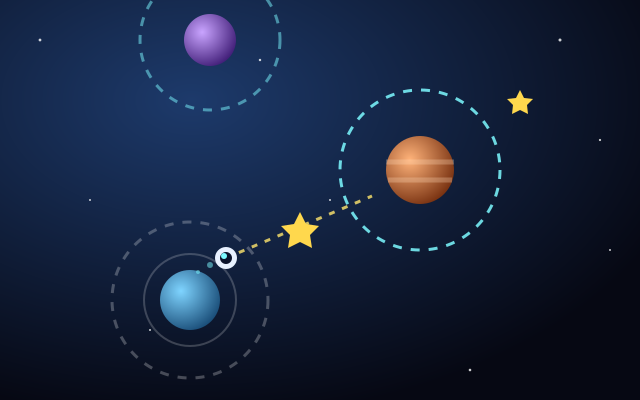
Planet Hopper is exploration boiled down to one button. Your pod orbits a planet. Press Space, click or tap to launch it in a straight line along the direction it is moving in the orbit. If your line passes inside another planet's gravity ring, you are captured into its orbit. New planets appear further up, some drift sideways, and orbit speeds vary.
Because the launch direction follows your orbit, timing is everything. A reliable method:
- Watch your pod go around once and notice the moment it points at the next planet's ring.
- If the target drifts sideways, aim slightly ahead of where it is heading, not at where it is now.
- Aim for the middle of the gravity ring rather than its edge, which leaves room for error.
- Only aim for a star if the same line still passes through a ring.
Flying off-screen costs one of your three lives and returns you to your last planet, so a missed star is cheap and a missed ring is not. Score is planets reached plus stars, which means safe progress is always worth more than one risky star.
Gravity Orbit: exploring with a slingshot
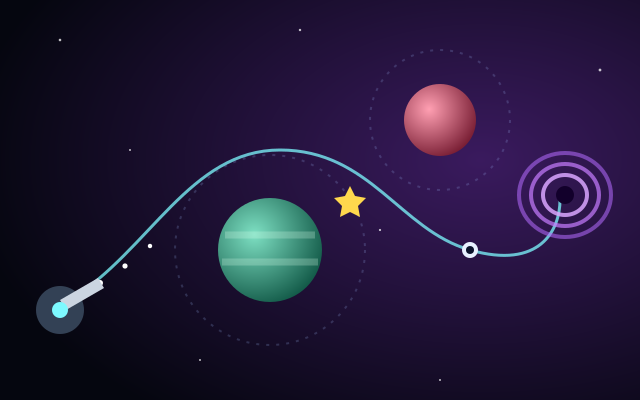
Gravity Orbit is the most puzzle-like of our exploration games. You aim (with Left/Right or Up/Down, or by pointing with the mouse or a finger), hold Space or LAUNCH to charge power, and release to send a probe. Planets pull the probe, more strongly when it is closer, and bend its path. Hitting a planet or leaving the screen loses the attempt. Reach the wormhole to finish the level. A short dotted aim preview shows the start of your path.
The key exploration decision is whether to chase optional stars. Your score includes a level completion bonus, stars and a bonus for using fewer attempts. On a new level, a clean completion is often worth more than a star grab that costs an attempt. Once you understand a level's pull, go back for the stars on your next run through. Levels start hand-designed and are followed by generated ones, so early levels reward memorization while later ones reward reading the layout. For the ideas behind the pull, see our guide to gravity mechanics.
Space Miner: exploring on a fuel budget
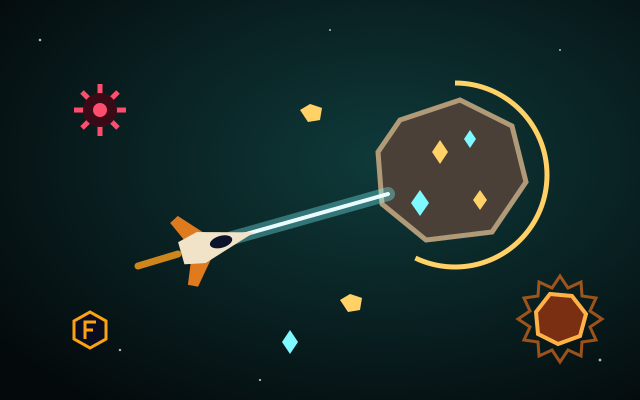
Space Miner adds resource management. Fuel drains over time and faster when you move, fuel cells refill it, and every level asks you to meet an ore quota before you advance. That makes every trip across the field a small investment.
- Survey before you fly. Take a second to spot the closest ore asteroids, the glowing hot rocks and the drifting mines.
- Chain nearby targets. Mining several close asteroids in a row usually beats crossing the whole field for one distant target.
- Treat fuel cells as waypoints. Plan a route that passes them instead of making emergency trips later.
Score is ore value plus level bonuses, so steady progress through levels adds up faster than risky, fuel-hungry runs.
Runners and collectors
Cosmic Runner explores a moon surface from the seat of an auto-running rover. You only control jumps: hold for a higher jump and press again in the air to double jump. Craters, rocks and hovering drones get closer together as speed increases, and one crash ends the run. Energy cells add bonus points, but because they sit along your path, the exploration decision is timing: is there a jump that clears the hazard and collects the cell?
Star Collector is exploration as pure pathing. Collecting stars quickly one after another builds a combo multiplier, and a timer bar shows when it will run out. The best routes link stars in short hops rather than zigzagging to whichever star is nearest.
Arcade exploration versus real space exploration
Real space exploration is slow, carefully planned and mostly carried out by robotic spacecraft that take months or years to reach their targets. Real missions do use gravity from planets to change a spacecraft's path, a technique often called a gravity assist, and they are limited by how much propellant they can carry. Our games borrow those ideas as flavor: fuel gauges, gravity that bends a path, orbits you launch from. The numbers, distances and timings are simplified and chosen for gameplay. Nothing in these games models a real mission, so treat them as games inspired by exploration rather than lessons in it. If the real thing interests you, the NASA and ESA pages below are good places to start.
Key takeaways
- Arcade exploration is about forward progress, route choice, optional collectibles and a limited budget.
- In Planet Hopper, aim for the middle of the next gravity ring and lead drifting planets.
- In Gravity Orbit, complete a new level cleanly first and collect stars once you know its pull.
- In Space Miner, chain nearby asteroids and plan routes past fuel cells.
Find every title in the Space Exploration Games category, and read our guide to planet-based arcade games for more on orbits and landings.