Planet-Based Arcade Games
On this page
A planet in an arcade game is rarely just scenery. It can be the thing you protect, the platform you launch from, the ground you must land on or the invisible hand that bends your path. Each role creates a different kind of game, and knowing which one you are playing tells you what to pay attention to.
Four roles a planet can play
| Role | What the planet does | Our game | Main skill |
|---|---|---|---|
| Base to defend | Sits at the center while enemies attack it | Galaxy Defender | Coverage and target priority |
| Launch platform | Holds you in orbit until you jump | Planet Hopper | Timing |
| Landing ground | Pulls you down onto its terrain | Rocket Landing | Thrust control |
| Gravity well | Bends the path of anything passing by | Gravity Orbit | Prediction |
The rest of this guide takes each role in turn.
The planet as a base: Galaxy Defender
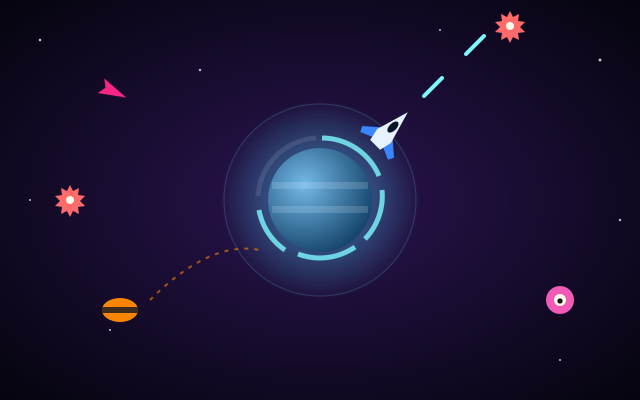
In Galaxy Defender, a planet sits at the center of the screen and your defense ship orbits it. Left/Right or A/D move you around the orbit, and Space or FIRE shoots outward. On desktop you can also aim with the mouse, as the ship moves to the pointer's angle, and click to fire; on touch devices you drag or tap on the game to aim and fire.
The planet's shield has five points, and every enemy that reaches the planet costs one. That shifts your goal from "avoid getting hit" to "let nothing through". Enemies arrive from all edges:
- Drones fly straight in. They are predictable, so pick them off early.
- Darts are fast. They deserve attention the moment they appear, because they cross the gap quickly.
- Splitters break into two small enemies when hit. Shoot them while they are still far away, so you have time for the pieces.
- Bombers circle before diving. Their circling gives you a window to line up a shot.
Coverage is the key skill. Since your ship travels along the orbit, it can only face one direction at a time, and moving to the opposite side takes time. Rotate toward the side with the most incoming enemies before they get close, and use the mouse-aim option on desktop if you find it faster than the keys. Waves grow as you progress, with a score per enemy and a bonus for clearing a wave.
The planet as a launch platform: Planet Hopper
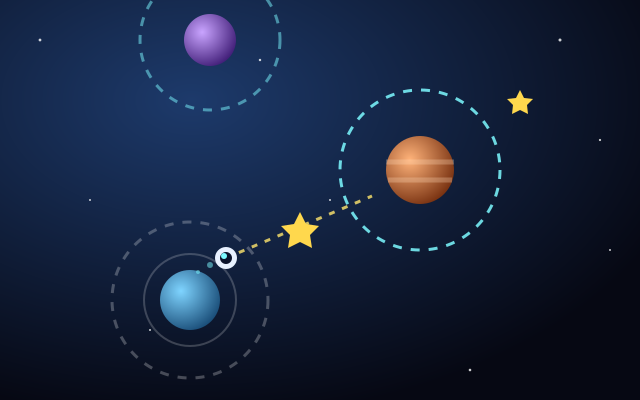
Planet Hopper uses planets as stepping stones. Your pod orbits a planet, and a single press (Space, click or tap) launches it in a straight line along the direction of the orbit. Crossing another planet's gravity ring captures you into its orbit.
Two planet features change the timing from jump to jump. Orbit speeds vary, so a fast orbit gives you a shorter window to release. And some planets drift sideways, so the target moves while you wait. Watch one full revolution when you arrive at a new planet: it tells you both how fast you are circling and which way the next planet is heading. Flying off-screen costs one of three lives and respawns you on your last planet. Stars floating between planets add bonus points, alongside the count of planets reached.
The planet as landing ground: Rocket Landing
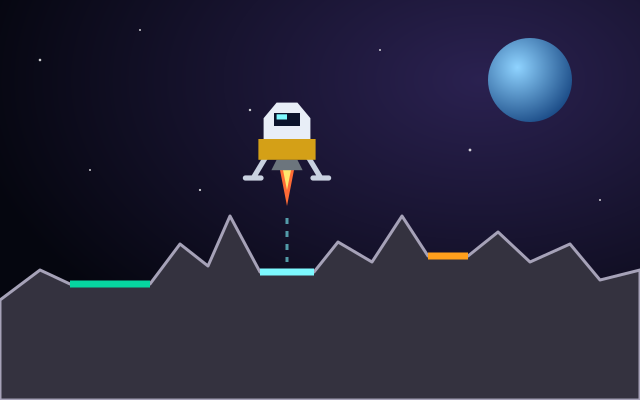
Rocket Landing sets you above a moon's surface. Gravity pulls the lander down; you fire the main engine with Up, W, Space or THRUST and rotate with Left/Right. A safe landing needs a flat pad, low vertical and horizontal speed and a near-upright angle, and the HUD reports OK or TOO FAST.
The planet-specific twist is that each successful landing takes you to a new moon with different terrain and gravity. A thrust pulse that felt right on one moon can be too weak or too strong on the next. Smaller pads carry bigger multipliers (x2, x3, x5), but a smaller target leaves less room for sideways drift, so decide early whether a small pad is worth the extra precision. Fuel carries over between landings, which rewards efficient descents across the whole run.
The planet as a gravity well: Gravity Orbit
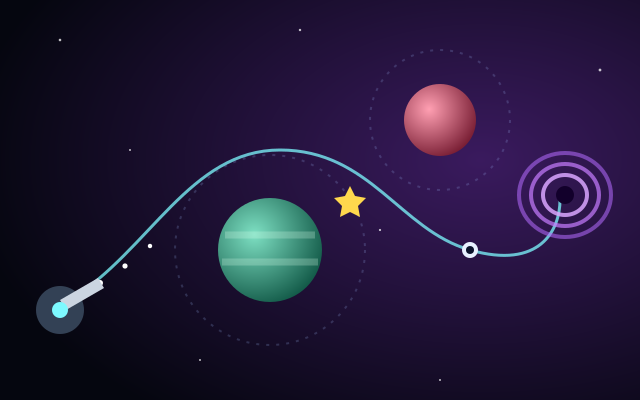
Gravity Orbit is where planets become obstacles and tools at once. You aim, charge power by holding Space or LAUNCH, and release to fire a probe. Planets pull the probe, more strongly when it is closer, bending its path. Hitting a planet or leaving the screen loses the attempt; reaching the wormhole finishes the level.
A few practical ideas for reading a level:
- Close passes bend more. Because the pull is stronger nearer the planet, a shot that skims a planet turns sharply, while a wide pass barely curves.
- Use the preview for direction only. The dotted aim preview is short, so it shows your starting line, not the full curve.
- Change one thing at a time. Adjust either aim or power between attempts, not both, so you learn what each change does.
You have three attempts, and your score includes a bonus for using fewer of them. For the ideas behind this kind of pull, see our guide to gravity mechanics in space games.
Real planets versus arcade planets
In the real world, every planet's gravity pulls on nearby objects, and that pull gets weaker as distance increases. An orbit is not a track the object is locked onto; it is the result of the object moving sideways fast enough that it keeps falling around the planet instead of into it. Different worlds also have different surface gravity, which is why real landings on different bodies need different approaches.
Our games simplify these ideas heavily. Planet Hopper's gravity rings are a game rule that snaps you into orbit, not a physical model. Gravity Orbit's pull uses arcade-tuned strengths so levels are fair and solvable. Rocket Landing's moons have different gravity to keep each landing fresh, not to match any real body. Enjoy the planets as game pieces, and use the NASA links below if you want the actual science.
Key takeaways
- Identify the planet's role: base, launch platform, landing ground or gravity well.
- In Galaxy Defender, rotate toward the busiest side early; each enemy that gets through costs a shield point.
- In Planet Hopper, watch one full orbit on each new planet before jumping.
- In Rocket Landing and Gravity Orbit, test the pull first and change one variable at a time.
All of these titles are gathered in the Planet Games category.